Restaurant Management Software UK: What to Look For in 2026
September 27, 2026 | admin | 16 min read
Restaurant Management Software UK: What Should You Look For in 2026?
Running a restaurant involves much more than taking orders and collecting payments. Every service depends on multiple parts of the business working together: front-of-house staff need to capture orders accurately, the kitchen needs to know what to prepare, ingredients need to be available, staff need to know what is happening, and the owner or manager needs clear information about sales and day-to-day performance.
When those processes are handled across separate systems, spreadsheets, paper notes and disconnected tools, it can become difficult to maintain a clear view of what is happening during service.
This is where restaurant management software can make a practical difference.
For UK restaurants and cafés, modern restaurant software can bring areas such as ordering, kitchen workflow, menu management, stock control, staff operations and reporting into a more connected workflow. The exact features vary between providers, however, so choosing a system requires looking beyond the words “POS” or “EPOS” on the product page.
In this guide, we explain what to look for in restaurant management software in the UK, which features are particularly useful for smaller independent businesses, and how an integrated system such as Tableflow approaches everyday restaurant operations.
What Is Restaurant Management Software?
Restaurant management software is a digital system designed to help manage the operational side of a restaurant, café, takeaway or similar food business.
Depending on the platform, it may combine several functions into one application, including:
- Order entry and point-of-sale workflows
- Dine-in, takeaway and delivery order management
- Kitchen ticket or kitchen display workflows
- Menu and product management
- Recipe and ingredient management
- Stock and inventory tracking
- Staff roles, shifts and attendance
- Sales and payment reporting
- Expense recording
- Food-cost visibility
The important distinction is that restaurant management software is not necessarily just a digital till.
A basic till can record a transaction. A broader restaurant management system can connect what happens before, during and after that transaction.
For example, an order might begin at the front of house, move into the kitchen queue, progress through preparation, be marked ready for service, have its payment recorded and then appear in the relevant sales reporting.
That connected workflow is one of the main reasons restaurant operators look beyond a basic POS system.
Why UK Restaurants Are Looking for More Than a Basic EPOS System
EPOS remains an important part of restaurant technology, but the needs of a food business extend beyond payment processing.
A restaurant has to coordinate people, products and information at the same time. During a busy lunch or evening service, even a small communication problem can create additional work for staff.
For example, consider a simple order:
- A member of staff takes the customer’s order.
- The order needs to reach the kitchen.
- The kitchen prepares the items.
- Front-of-house staff need to know when the order is ready.
- The customer pays.
- The transaction becomes part of the restaurant’s sales information.
If each step is handled by a separate process, staff may need to enter or transfer the same information more than once.
Modern restaurant technology increasingly focuses on connecting these workflows. Current UK restaurant technology guides commonly highlight ordering, kitchen management, stock control, reporting and staff operations as important parts of a restaurant technology setup.
8 Features to Look For in Restaurant Management Software
There is no single restaurant software package that is automatically right for every business. A small independent café may have very different requirements from a multi-site restaurant group.
However, there are several capabilities worth evaluating before choosing a system.
1. Order Management
Order management is at the centre of restaurant operations.
The system should make it straightforward for staff to create, update and monitor orders without unnecessary steps.
Depending on your business model, you may need to handle:
- Dine-in orders
- Takeaway orders
- Delivery orders
- Open and completed orders
- Different payment methods
- Customer self-service ordering
Good restaurant software should fit the way your team actually takes orders rather than forcing staff to work around the software.
Tableflow, for example, supports staff order entry and a customer-facing kiosk where enabled, with dine-in, takeaway and delivery checks managed within the same workspace.
2. Kitchen Management
Once an order has been taken, the kitchen needs to know what has to be prepared.
A connected kitchen workflow can reduce the need for staff to communicate every order verbally or manually move information between systems.
Look for functionality that allows kitchen staff to:
- See incoming order items
- View the kitchen queue
- Update preparation status
- Mark items as ready
- Keep front-of-house staff informed
Tableflow uses a live kitchen queue where kitchen staff can follow preparation progress and update the status of order items.
This creates a simple operational chain:
Order → Kitchen → Preparing → Ready → Service
The benefit is not simply having another screen in the kitchen. The objective is to make the status of an order visible to the people who need that information.
3. Menu and Product Management
Menus change.
Prices change. Products are added and removed. Categories are updated. Restaurants introduce specials, seasonal items and new recipes.
Your software should therefore make menu administration practical rather than turning every small change into a technical task.
Useful functionality can include:
- Product categories
- Menu items
- Pricing
- Kitchen stations
- Recipe information
- Ingredient relationships
Tableflow includes product categories, products and kitchen stations, with recipes connected to ingredients so operators can review estimated food costs.
4. Recipe and Ingredient Management
For food businesses, the relationship between a menu item and its ingredients matters.
If a dish contains several ingredients, knowing the recipe structure can provide a clearer picture of the estimated cost of producing that dish.
This is particularly useful when menu prices, supplier costs or portion sizes change.
Restaurant inventory platforms commonly include features such as recipe costing, stock tracking, waste management and ingredient-level control because food inventory can represent a significant operational cost.
When comparing software, ask whether the system merely records finished products or whether it can connect products with their underlying ingredients.
5. Stock and Inventory Control
Stock management is another area where disconnected processes can create unnecessary administration.
A restaurant needs to know what ingredients it has, what has been used and what needs attention.
Restaurant stock management software may provide functionality such as:
- Ingredient quantities
- Stock movements
- Stock takes
- Low-stock visibility
- Recipe-based costing
- Waste recording
- Inventory reporting
The exact capabilities vary considerably between systems, so restaurant owners should check the detail rather than assuming every platform provides the same inventory functionality.
Tableflow allows restaurant teams to record stock movements, monitor ingredient levels and connect recipes with ingredients.
6. Staff and Shift Management
Restaurant operations are people-driven.
Your software can have an excellent order screen, but if staff roles and shifts are difficult to manage, you may still have a fragmented workflow.
Depending on the platform, staff tools may include:
- User roles
- Staff accounts
- Shift management
- Attendance records
- Operational permissions
Tableflow includes staff roles, shifts and attendance alongside its restaurant operations features.
For a small restaurant, the objective is not necessarily to purchase a huge workforce-management platform. It may simply be useful to have essential team information in the same operational environment.
7. Sales and Restaurant Reporting
Restaurant owners need more than a total at the end of the day.
Useful reporting can help answer questions such as:
- How much was sold during a particular period?
- Which products were sold?
- Which payment methods were used?
- What are the estimated food costs?
- What expenses have been recorded?
- How did sales change over a selected date range?
Reporting capabilities vary significantly between platforms. Some are designed primarily for payment and transaction reporting, while broader restaurant systems provide operational information alongside sales data.
Tableflow provides reporting for captured sales, payment methods, products sold, estimated food costs and recorded expenses, with date filtering and report export functionality.
8. A Connected Workflow
This may be the most important feature of all.
A restaurant does not operate as a collection of independent departments. The order taken by front-of-house affects the kitchen. The menu affects ingredients. Sales affect reporting. Staff interact with several stages of the process.
That is why it is worth asking:
Does the software simply provide several features, or do those features actually work together?
Integration can reduce duplicate data entry and make operational information easier to follow.
Restaurant Management Software vs a Basic POS
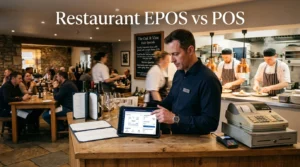
The terms POS, EPOS and restaurant management system are sometimes used interchangeably, but they do not always describe exactly the same thing.
| Capability | Basic POS | Broader restaurant management system |
|---|---|---|
| Take orders | Usually | Yes |
| Record payments | Usually | Yes |
| Kitchen workflow | Depends on system | Often included |
| Menu management | Usually | Yes |
| Recipe management | Not always | May be included |
| Ingredient stock | Depends on system | Often available |
| Staff tools | Varies | May be integrated |
| Operational reporting | Usually sales-focused | Can cover wider restaurant activity |
There is no universal rule that one category is better for every restaurant. The appropriate system depends on the complexity of the business and the workflows that need to be managed.
Why an Integrated Restaurant System Can Be Useful for a Small Business
Small restaurants often have limited staff and limited time for administration.
That makes unnecessary duplication particularly frustrating.
Imagine having one system for orders, another for kitchen tickets, a spreadsheet for stock, another tool for staff records and a separate process for reporting. Each individual tool might work perfectly well, but the owner or manager still has to move between systems.
An integrated restaurant management system takes a different approach: keep related operational information within one workspace.
This can make it easier to move between:
- Orders
- Kitchen activity
- Menu information
- Ingredients
- Stock
- Staff operations
- Reports
The goal is not to automate every decision a restaurant owner makes. It is to make the underlying information easier to access and manage.
What About Cafés?
Restaurant management software is not limited to traditional restaurants.
Cafés can have many of the same operational requirements: product menus, customer orders, payments, kitchen or preparation workflows, stock and sales reporting.
For a café, the appropriate system might need to support a faster ordering environment and a simpler menu structure while still providing useful inventory and reporting tools.
Tableflow is designed for both restaurant and café teams, with order entry, kitchen workflows, menu and recipe management, ingredient stock control, staff tools and reporting within one web application.
How Tableflow Connects Restaurant Operations
Tableflow is a restaurant and café management system developed by Zee Developers.
Rather than presenting the product as simply another digital till, Tableflow is built around the operational flow of a restaurant.
The basic workflow is:
- Take the order — create a dine-in, takeaway or delivery order.
- Send it to the kitchen — order items enter the kitchen queue.
- Prepare the order — kitchen staff update preparation progress.
- Serve the customer — staff can see when items are ready.
- Record payment — payment information is captured.
- Review the activity — sales and operational information becomes available in reports.
This order-to-service workflow is one of the central concepts behind the product.
What Can Tableflow Manage?
Orders
Tableflow provides order entry for dine-in, takeaway and delivery workflows. Orders can be tracked as open or completed checks, with payment information recorded as part of the process.
Kitchen
The kitchen queue provides visibility of incoming order items and their preparation status, helping front-of-house and kitchen staff stay aligned during service.
Menu and Recipes
Products can be organised into categories and connected with recipes and ingredients. This provides a foundation for understanding estimated food costs rather than treating every menu item as an isolated sale.
Inventory
Restaurant teams can record stock movements and review ingredient quantities within the operational workspace.
Team Operations
Tableflow includes staff roles, shifts and attendance functionality so essential team information can sit alongside other restaurant operations.
Reports
Operators can review captured sales, payment methods, products sold, estimated food costs and recorded expenses, with date filtering and report export available.
Who Is Tableflow Designed For?
Tableflow is specifically positioned as a single-restaurant edition for restaurant and café teams that want their front-of-house ordering, kitchen progress and everyday operations managed within one place.
That makes the product particularly relevant to independent restaurants and cafés that do not need the complexity of a large multi-site hospitality platform.
If your business operates a single venue and you want to explore whether a connected restaurant management workflow fits your operation, a guided demonstration can be a useful next step.
Questions to Ask Before Choosing Restaurant Management Software
Before purchasing or switching systems, ask the provider practical questions about how the software will work in your restaurant.
Does it support my type of orders?
Check whether the platform supports the exact combination of dine-in, takeaway, delivery, kiosk or staff order entry that your business uses.
How does the kitchen receive orders?
Understand whether orders are printed, displayed digitally or handled through another workflow, and make sure the process suits your kitchen.
Can menus and recipes be managed easily?
Ask how quickly you can add products, change prices, organise categories and maintain recipe information.
How does stock management work?
Do not assume that “inventory” means the same thing across every product. Ask whether the system handles ingredients, stock movements, recipe relationships and stock reporting.
What reports are available?
Ask to see the actual reports rather than relying on a feature list. Check whether the information is useful for the decisions you make every week.
Can my staff learn it quickly?
A restaurant system is only useful if the team can operate it confidently during a busy service. Ask to see the ordering and kitchen workflow before committing.
What happens during a busy service?
Request a demonstration using a realistic restaurant workflow. Do not judge software only from a marketing screenshot.
Should You Choose Cloud-Based Restaurant Software?
Many modern restaurant systems are delivered through web or cloud-based applications, although the exact architecture and offline capabilities vary between providers.
One advantage of a web application can be easier access across supported devices without requiring every operational screen to have a traditional desktop installation.
However, restaurant owners should still ask important technical questions before selecting a system.
- What happens if the internet connection drops?
- Which devices are supported?
- What hardware is required?
- How is data backed up?
- How are user permissions handled?
- How are updates delivered?
- What support is available?
These questions are particularly important because restaurant operations happen in real time. Software that looks excellent in a demonstration still needs to fit the realities of your service.
Restaurant Software Should Reduce Complexity, Not Add to It
The purpose of restaurant management software is not to give an operator more dashboards to monitor.
It should make the underlying workflow easier to understand.
When an order is taken, the kitchen should know what needs preparing. When the kitchen changes an order’s status, front-of-house staff should be able to see that information. When products are sold, the resulting activity should be available for reporting.
That is the idea behind connected restaurant operations.
Instead of thinking about ordering, kitchen, inventory and reporting as completely separate functions, a restaurant management system can bring them into one operational flow.
Try Tableflow for Your Restaurant or Café
If you are looking for restaurant management software in the UK, the most useful next step is usually to see the workflow in action.
Tableflow by Zee Developers brings orders, kitchen tickets, menu and recipe management, ingredient stock, team tools and reporting into one restaurant workspace. It is designed specifically for single-restaurant and café operations.
Rather than trying to understand the system from a feature list, you can request a guided demonstration and see how an order moves from the front of house through the kitchen and into reporting.
Interested in seeing how Tableflow could fit your restaurant or café?
Explore Tableflow and request a demo.
Frequently Asked Questions
What Is Restaurant Management Software UK??
Restaurant management software is a digital system that helps manage restaurant operations such as orders, kitchen workflows, menus, inventory, staff operations and reporting. The exact features depend on the provider.
What is the difference between restaurant POS and restaurant management software?
A POS or EPOS system primarily focuses on sales transactions and payments, although many modern systems include additional functionality. Restaurant management software can cover a wider operational workflow including kitchen, menu, inventory, staff and reporting tools.
Is restaurant management software suitable for small restaurants?
Yes. Small restaurants can benefit from connected order, kitchen, stock and reporting workflows, provided the software matches the scale and requirements of the business.
Can restaurant management software handle takeaway orders?
Some restaurant management systems support takeaway workflows. Tableflow supports dine-in, takeaway and delivery orders within its order-management workflow.
Can restaurant software manage kitchen orders?
Many hospitality systems provide kitchen management or kitchen display functionality. Tableflow includes a kitchen queue where staff can view incoming order items and update preparation status.
Can restaurant management software track ingredients?
Some systems provide ingredient-level inventory functionality. Tableflow allows recipes to be connected with ingredients and supports stock movement and ingredient quantity tracking.
Can a restaurant management system provide sales reports?
Reporting varies by provider. Tableflow provides reporting around captured sales, payment methods, products sold, estimated food costs and recorded expenses, with date filtering and export functionality.
What should I check before buying restaurant software?
Check order types, kitchen workflow, menu management, inventory capabilities, reporting, staff tools, supported devices, data handling, support and the overall ease of use. A live demonstration using your actual restaurant workflow can be more useful than comparing feature lists alone.
What is Tableflow?
Tableflow is restaurant and café management software from Zee Developers. It brings order entry, kitchen tickets, menu and recipe management, ingredient inventory, staff workflows and sales reporting together in one web application.
How can I request a Tableflow demo?
You can visit the Tableflow page and contact Zee Developers through WhatsApp to request a guided demonstration.
Final Thoughts
Choosing restaurant management software is ultimately about understanding how your restaurant operates and finding technology that supports that workflow.
For a small or independent restaurant, the priority may not be having hundreds of features. It may be having the essential ones connected properly: orders, kitchen, menu, ingredients, stock, staff and reporting.
That is the approach behind Tableflow.
By bringing core restaurant operations into one workspace, Tableflow is designed to give single-restaurant and café teams a clearer way to manage service from the first order through to the end-of-day numbers.
Explore Tableflow by Zee Developers and request a guided demo.